

Integration
How to embed an Airtable base in a Bubble app
Embedding an Airtable base in your Bubble app takes less than 15 minutes. And you don't need any plugin or external service.
Himanshu Sharma · ·2 min read

If you want an app where you allow users to book a session with you, the chances are that you are thinking about using Calendly. Calendly allows you to schedule meetings by allowing the user to see a list of slots you’re available in. It has a free tier as well.
You need an account with Calendly to allow your users to book sessions.
The simplest way is to copy the link to the event and navigate the user to that page. You can do this using a button.
To create a more native user experience, you can embed the Calendly form as an iFrame. Go to the event’s settings by clicking the small grey settings icon and ‘Add to Website’.
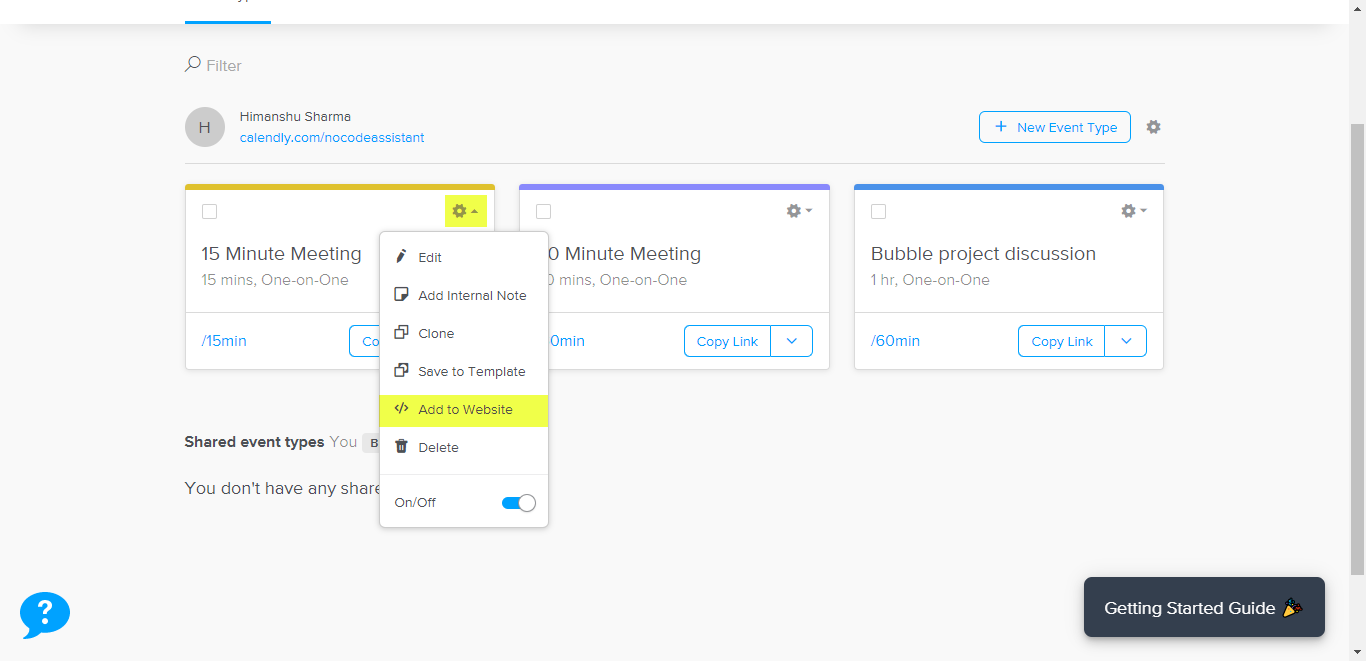
This will open a popup where you should click ‘Inline Embed’. You’ll see the embed code which you need to copy.
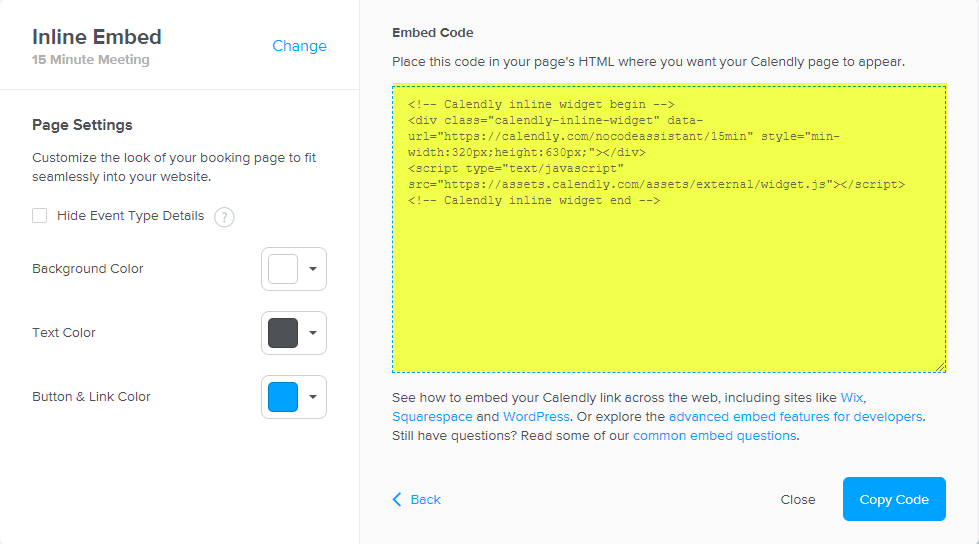
The code needs to be placed in an HTML element in Bubble.
Go to your editor and drag a new HTML element. Paste this code and check the ‘Display as an iFrame’ checkbox.
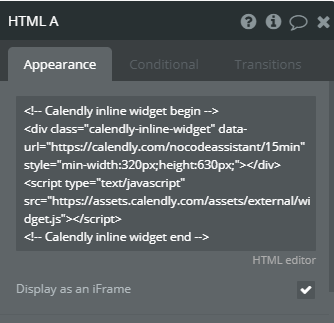
Preview the page, and you can see the Calendly working on your Bubble app. Your users can now book a session with you, and you’ll get automated emails from Calendly.
Preview - Open live preview
Editor - Open Bubble editor
Bookmark
Honest Bubble.io Review - the most user-friendly and powerful app builder?
Bubble is an amazing platform to build your business. It’s easy to use and can be up and running in a very short time. However, there are some limitations to what Bubble can do. Get an honest review of the pros and cons of Bubble.io.
If you need some help with your Bubble app or a team of Bubble developers to build a Bubble app for you, reach out to me at himanshu@nocodeassistant.com. You can also follow me on Twitter.
Continue reading
Embedding an Airtable base in your Bubble app takes less than 15 minutes. And you don't need any plugin or external service.
PayPal Checkout plugin by Copilot will allow you to accept payments in your Bubble.io app.
What are Popups, Floating Groups, Group Focus, Repeating Groups and Groups? Where and how should you use them?

