

UI
Easy way to add a dark mode to your Bubble app
In this tutorial, you'll learn how to create a Light and Dark mode for your Bubble app. All in less than 5 mins.
Himanshu Sharma · ·4 min read

If you have attempted to create a Group Focus inside another Group or a Repeating Group, you would know it is impossible. The Group Focus always stays at the page level and cannot have a parent group.
There is a way to get around this limitation. We create a Reusable element.
A reusable element is a component you can reuse across your Bubble application. You can imagine it as a page that you can put anywhere in your application, and it will have the child elements, style and workflows carried over.
Bubble’s reusable elements are convenient when you often need to reuse the same components. Reusable elements make the app smaller and easier to edit.
An example can be creating a ‘Customer section’ containing a list of all your customers and a popup to add a new customer and edit existing customers. Wherever you need this section, you can place this reusable element, and all the child elements and workflows will be carried over.
Bubble will take you to a page where you can edit your reusable element’s design and workflows.
We can design our group focus however we need.
I’ve placed an icon to toggle the group focus. Next, I added a group focus, and styled it.
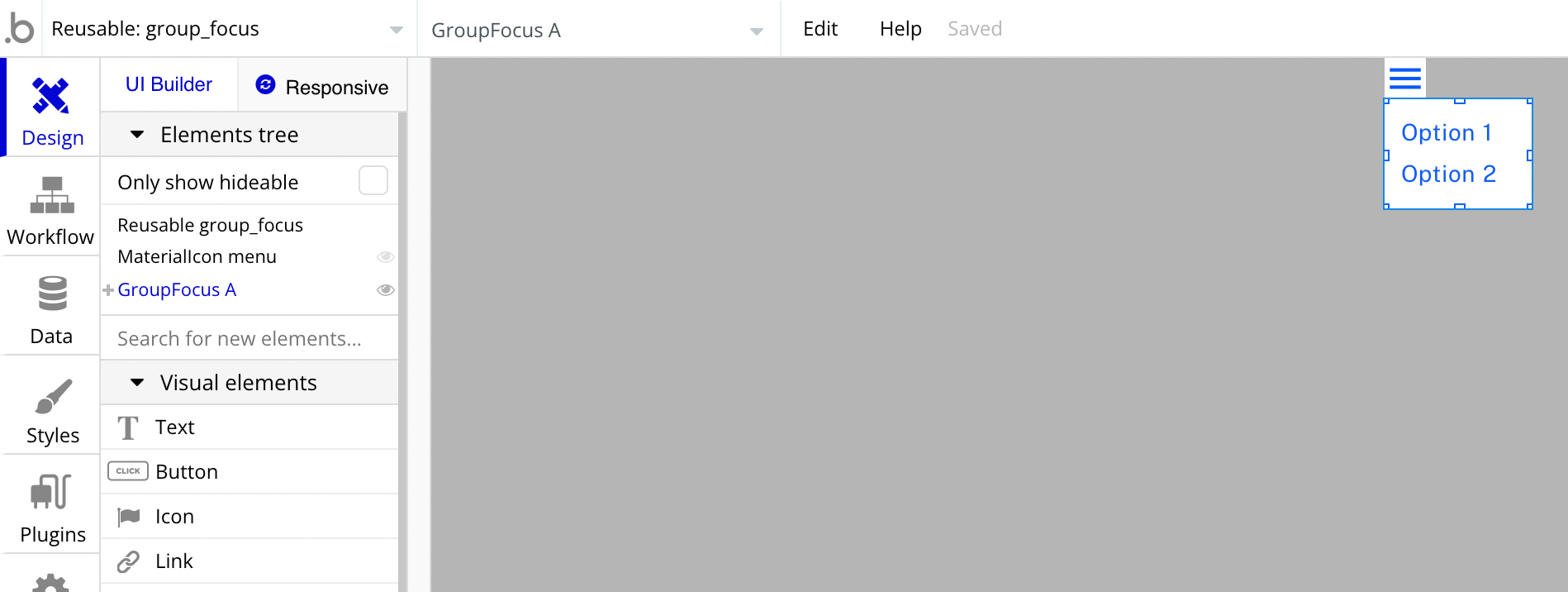
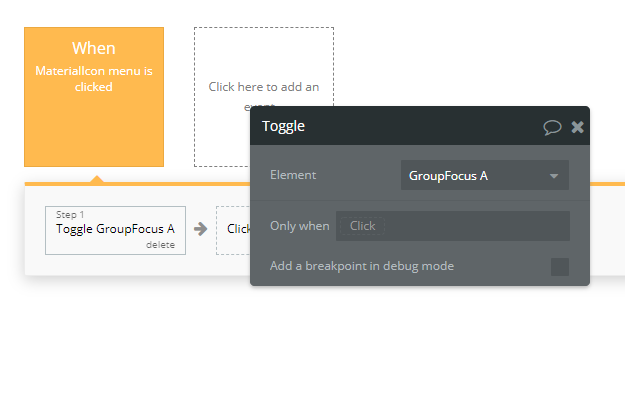
We can then set up triggers to show/hide this Group Focus.
We’ll need to pass a data source to the reusable element so we can do CRUD actions on our database records.
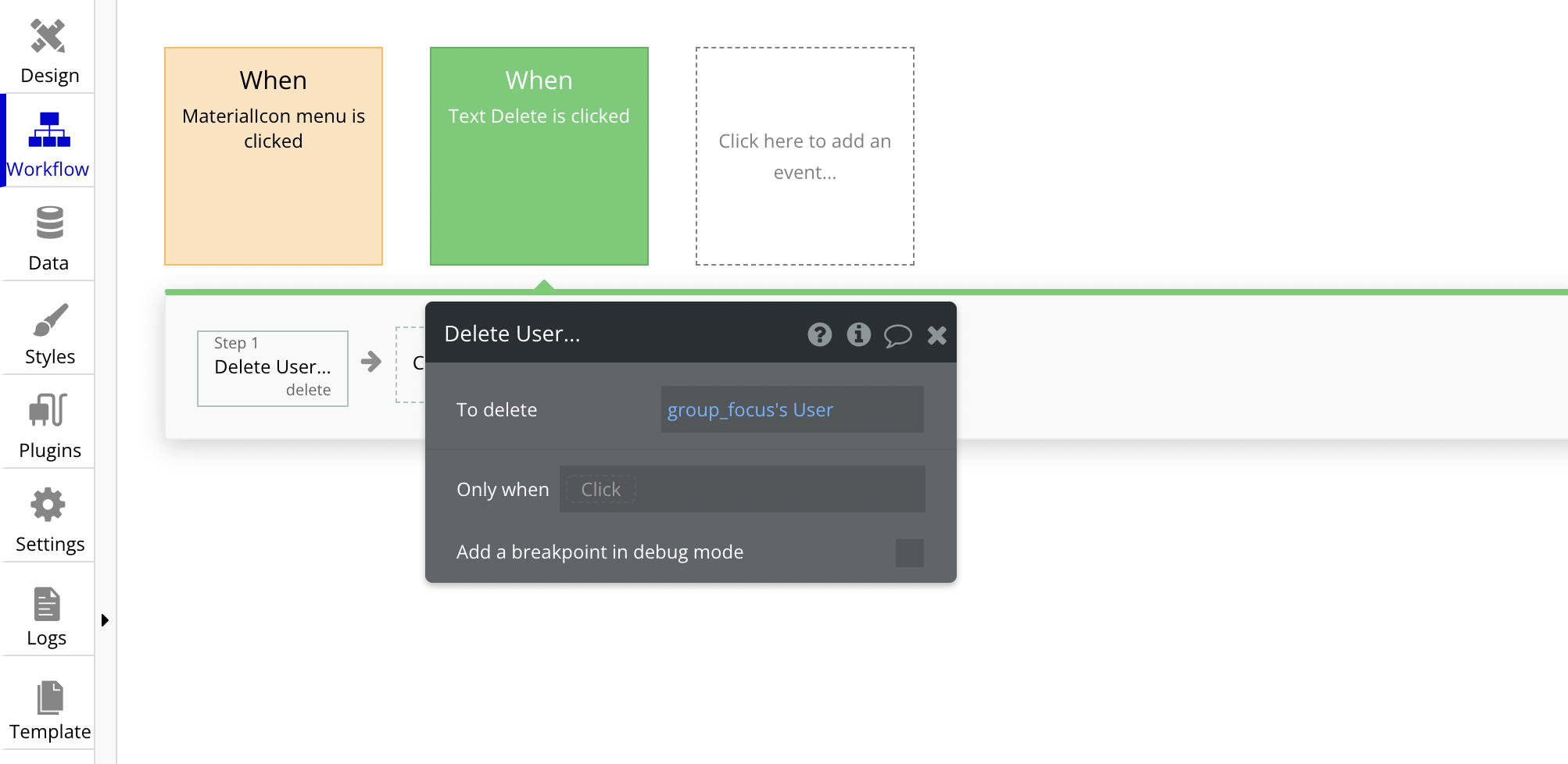
In a reusable element, we could create a popup to edit the User record. But we need to know which User record to update. And as the reusable element behaves like a separate entity from the repeating group, we will not be able to use “Current cell’s User” in the dynamic data.
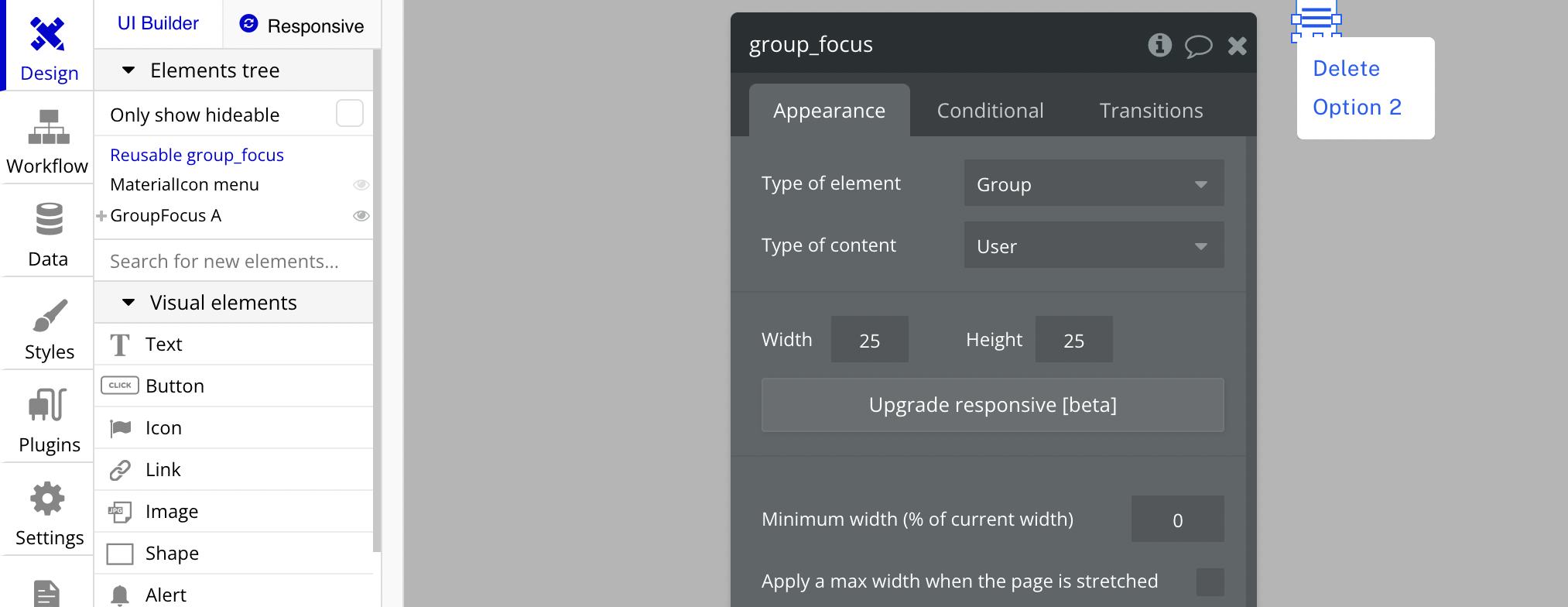
However, we can assign a Type of content to the reusable element - pass a data source - access the reusable element’s User in our workflows.
Bookmark
Honest Bubble.io Review - the most user-friendly and powerful app builder?
Bubble is an amazing platform to build your business. It’s easy to use and can be up and running in a very short time. However, there are some limitations to what Bubble can do. Get an honest review of the pros and cons of Bubble.io.
We can now return to our repeating group, drag and place the reusable element in the repeating group cell.
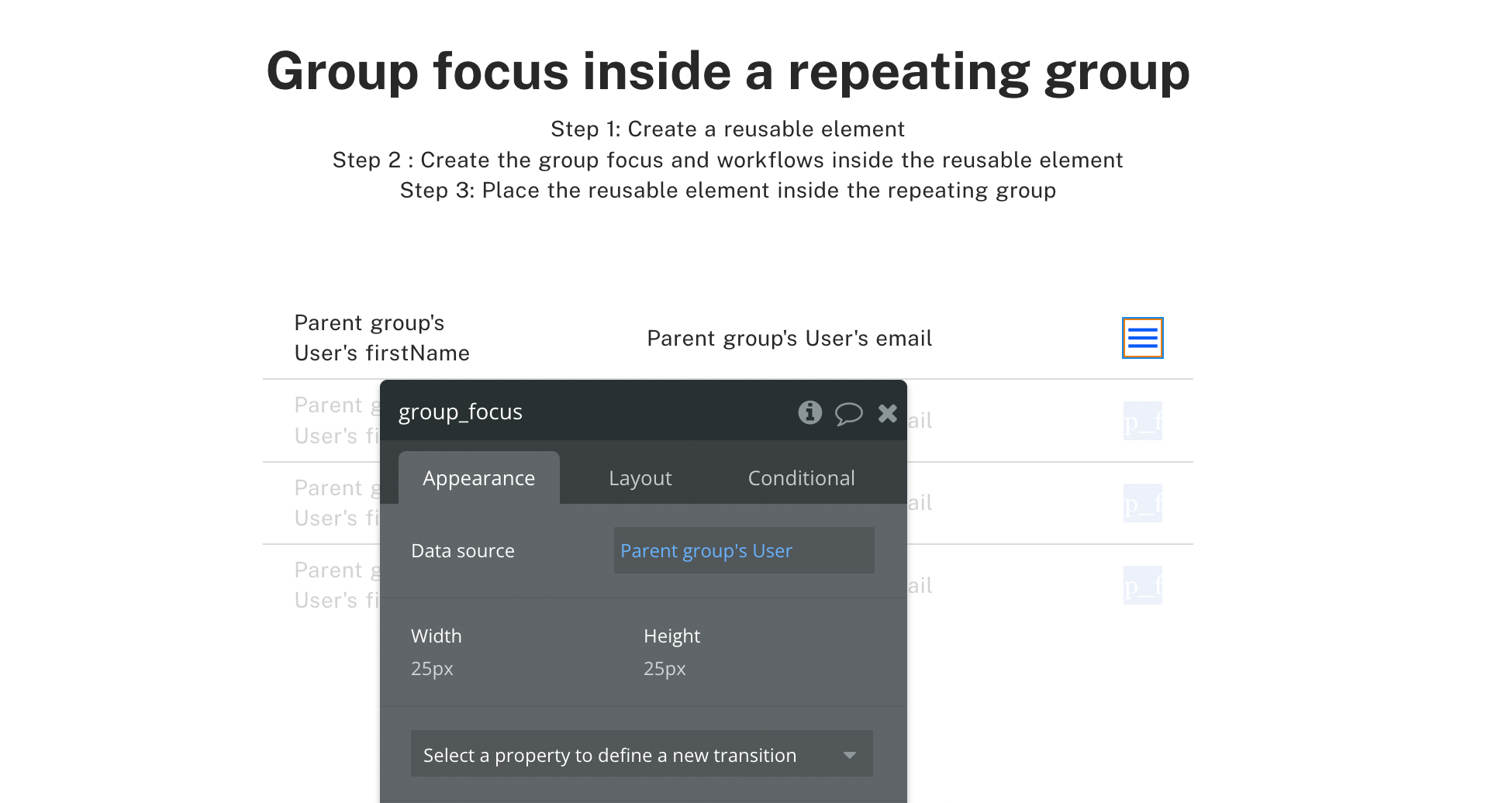
Remember to pass a value to the reusable element as the data source. In this case, we will pass the Current cell’s User.
Bookmark
Backend workflows for Beginners | Bubble.io
Backend workflows are server-side workflows in Bubble.io. Use them to schedule actions in the future or work with a big list.
Editor - Open Bubble editor
Preview - Open live preview
If you need some help with your Bubble app or if you need a team of Bubble developers to build a Bubble app for you, reach out to me at himanshu@nocodeassistant.com. You can also follow me on Twitter.
Continue reading
In this tutorial, you'll learn how to create a Light and Dark mode for your Bubble app. All in less than 5 mins.
You've likely heard about Single Page Apps (SPA) at least once on the Bubble forum. Since Single Page Apps don't navigate users to other pages, it's important to figure out how you'll handle content visibility.
Dynamically changing the text value using conditional statements.

