

Repeating Groups
List or Searches - Which is faster in fetching data in Bubble?
Is it quicker to fetch data from lists or searches? It depends on a few factors, and no one approach will work in all scenarios.
Himanshu Sharma · ·4 min read

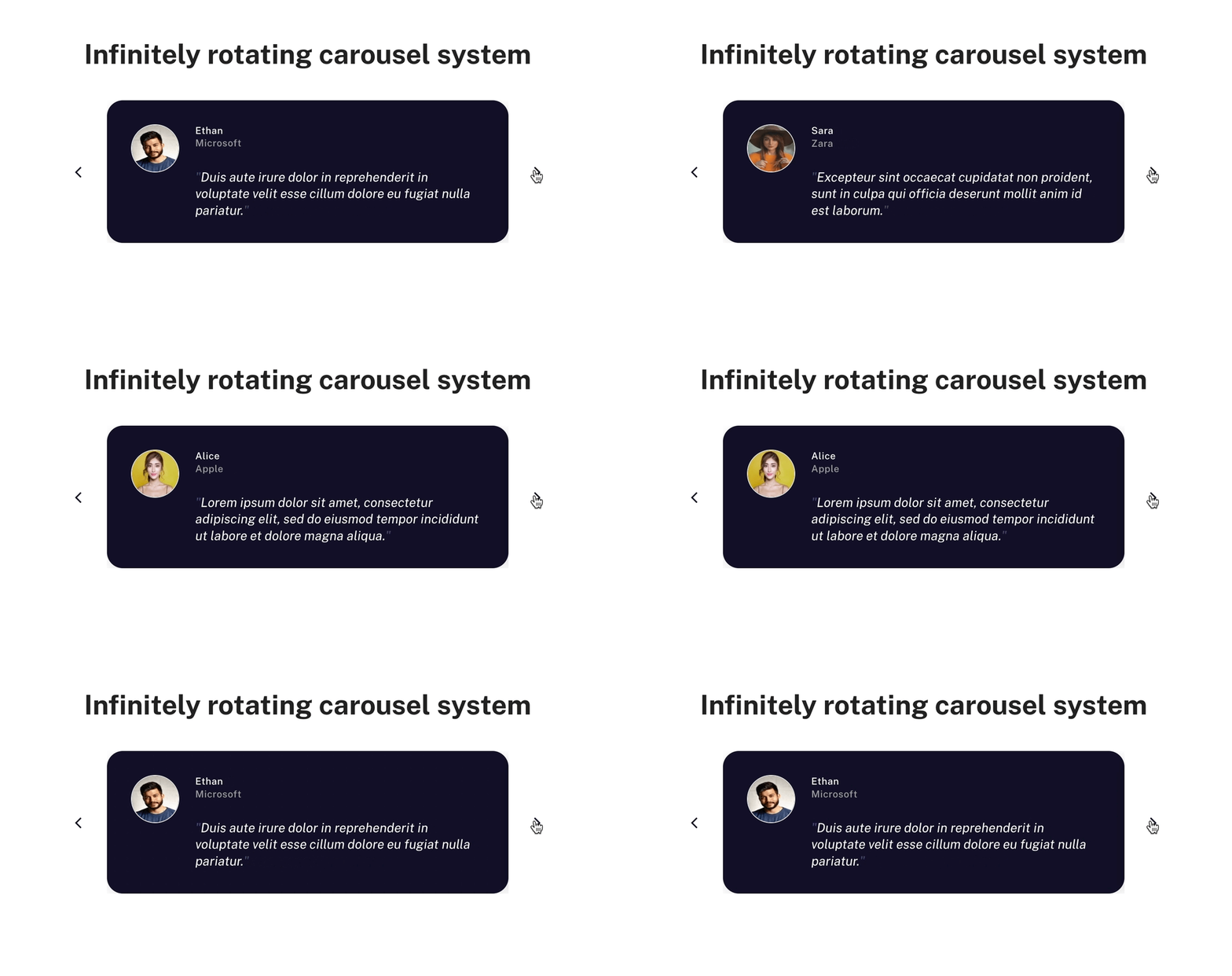
When I was recently working on a client project, the client needed a section for testimonials. And they did not want just a few simple static cards. They wanted a carousel.
A carousel is a rotating set of items, typically used to display items on a web page.
By using the buttons, you can view the next set of items.
And if you have played around with the repeating group in Bubble, you would know that there is a ‘Scroll to entry’ action in the workflows. We can keep scrolling up and down the list, and it should work.
It could work in some cases. But we need an infinite scrolling repeating group that goes on forever. We need to do a bit more work.
In our Bubble app, we have a data type called Testimonials.
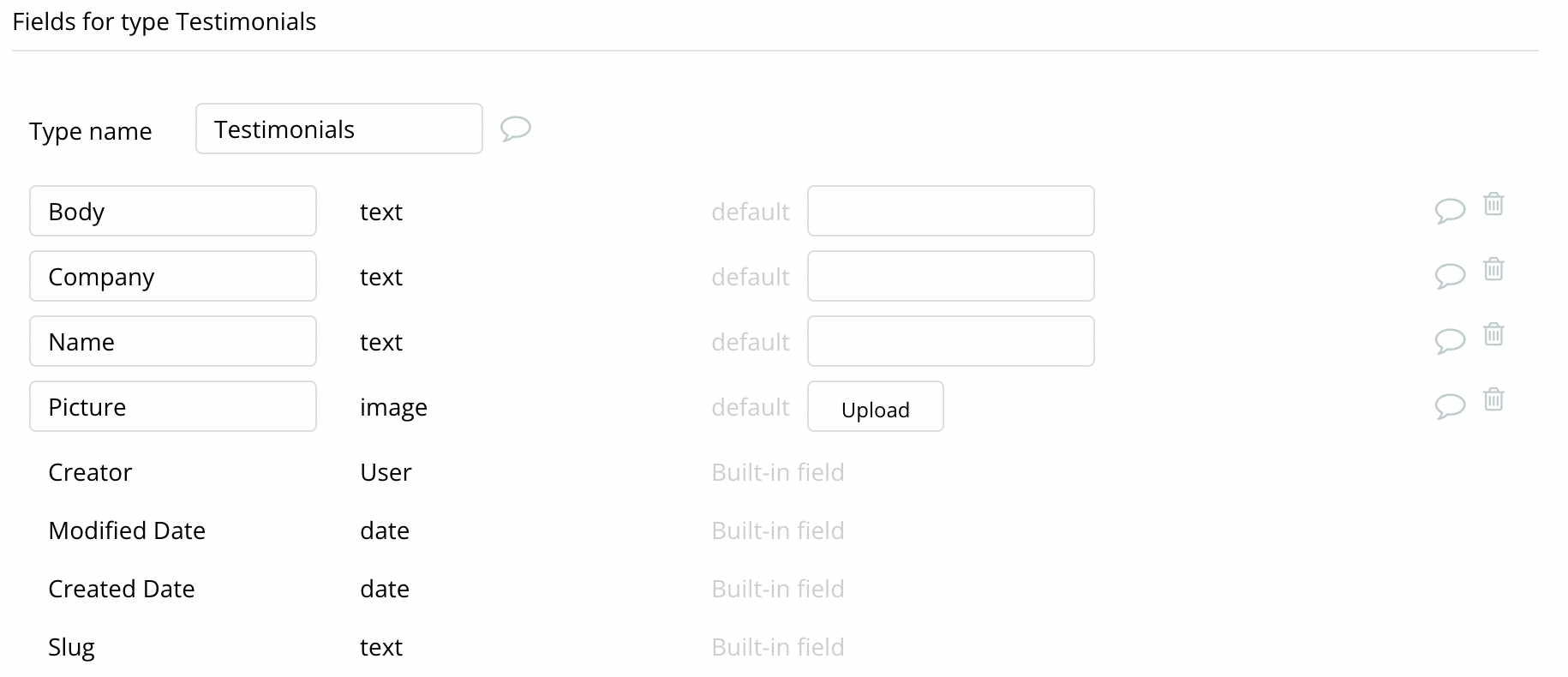
This data type stores the body of the testimonial, the picture, and the company name of the testimonial provider.
We will show testimonials from our database in a carousel.
Before we get down to setting up our repeating group, we need to install the List Shifter plugin by Keith.
Bookmark
List Shifter Karma-Ware Plugin for Bubble, by Keith from GRUPZ
List Shifter Karma-Ware Plugin page on Bubble, by Keith from GRUPZ. Add List Shifter Karma-Ware in one click to your app. Bubble lets you build web apps without any code.
This plugin is convenient, and you can do many things with lists. After installing it in your app, you can place the ‘List Shifter KW’ element on your page.
We will set the type of content and data source for the repeating group in this plugin element. And then use this plugin’s output as the data source of our repeating group. This plugin will take our list and do operations, giving us a ‘Shifted list’.
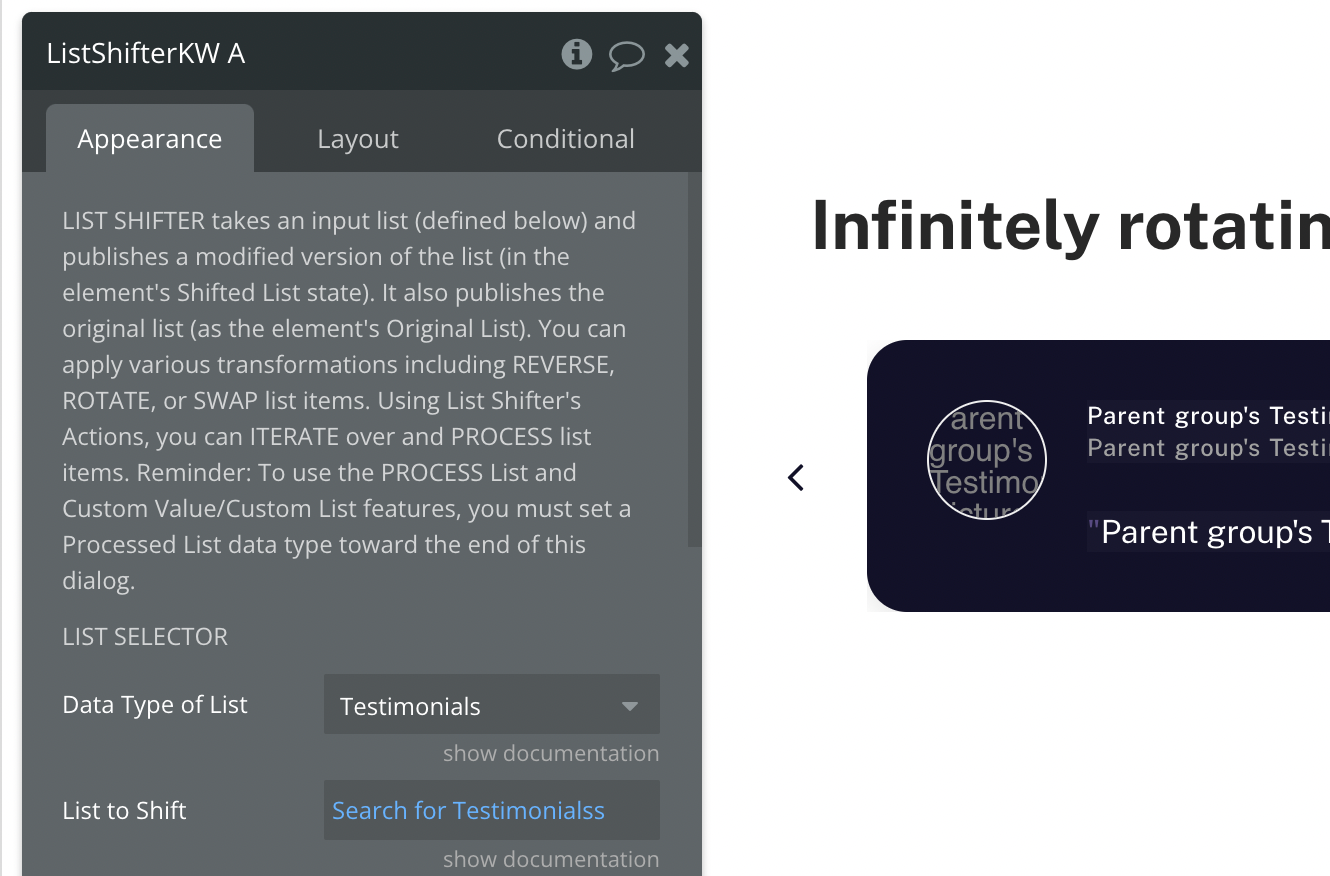
The List Shifter plugin will give us a list of customer testimonials. We’ll use this ‘Shifted list’ as the data source for our repeating group.
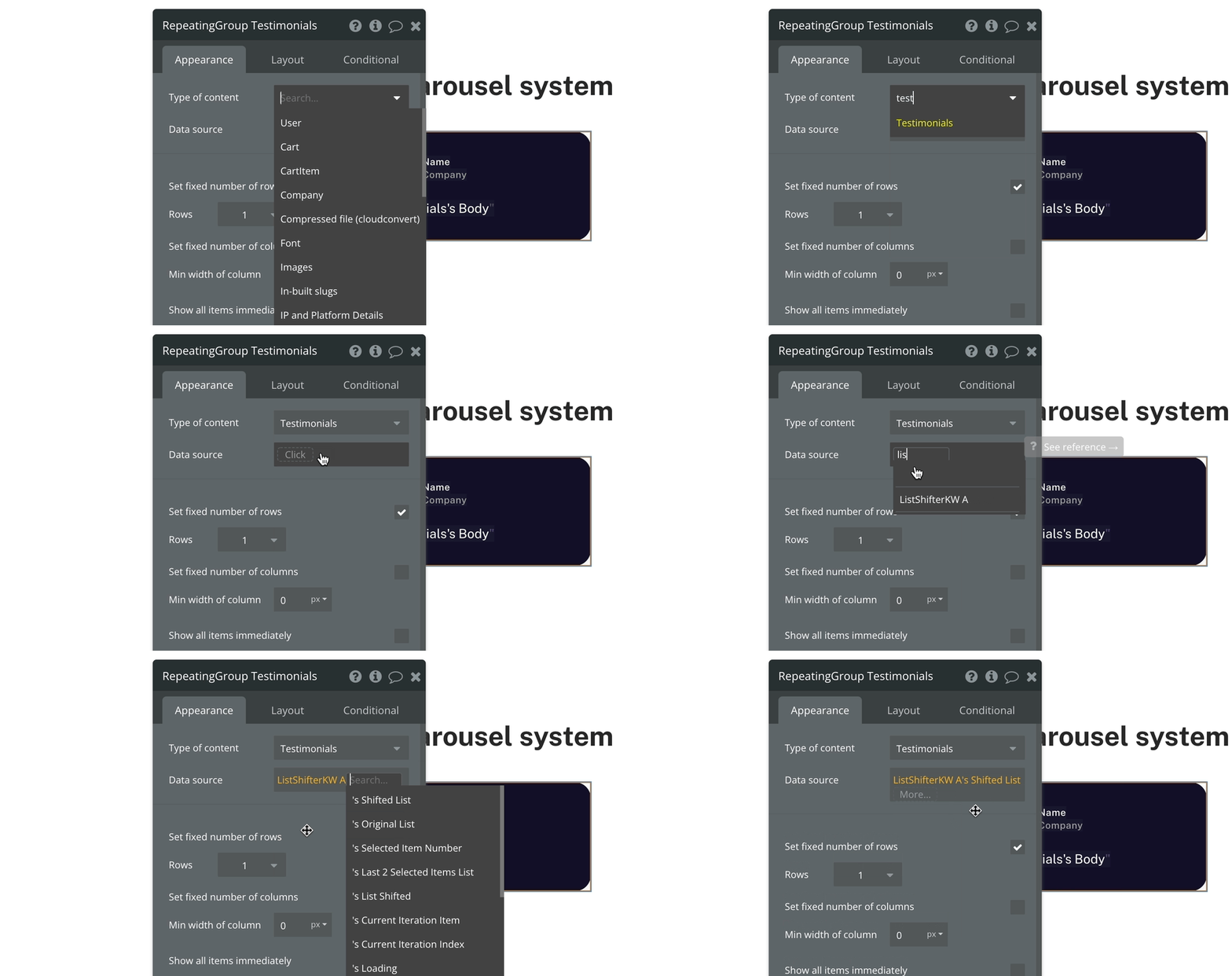
We need to keep a fixed number of rows for a carousel but an infinite number of columns.
Inside the repeating group, we have one child group. We will assign a minimum width to this group. I’ve kept it at 500px and added a condition to reduce it to 300px when the page shrinks.
We now have to add text and image elements to create our repeating group design. The final result looks like this.
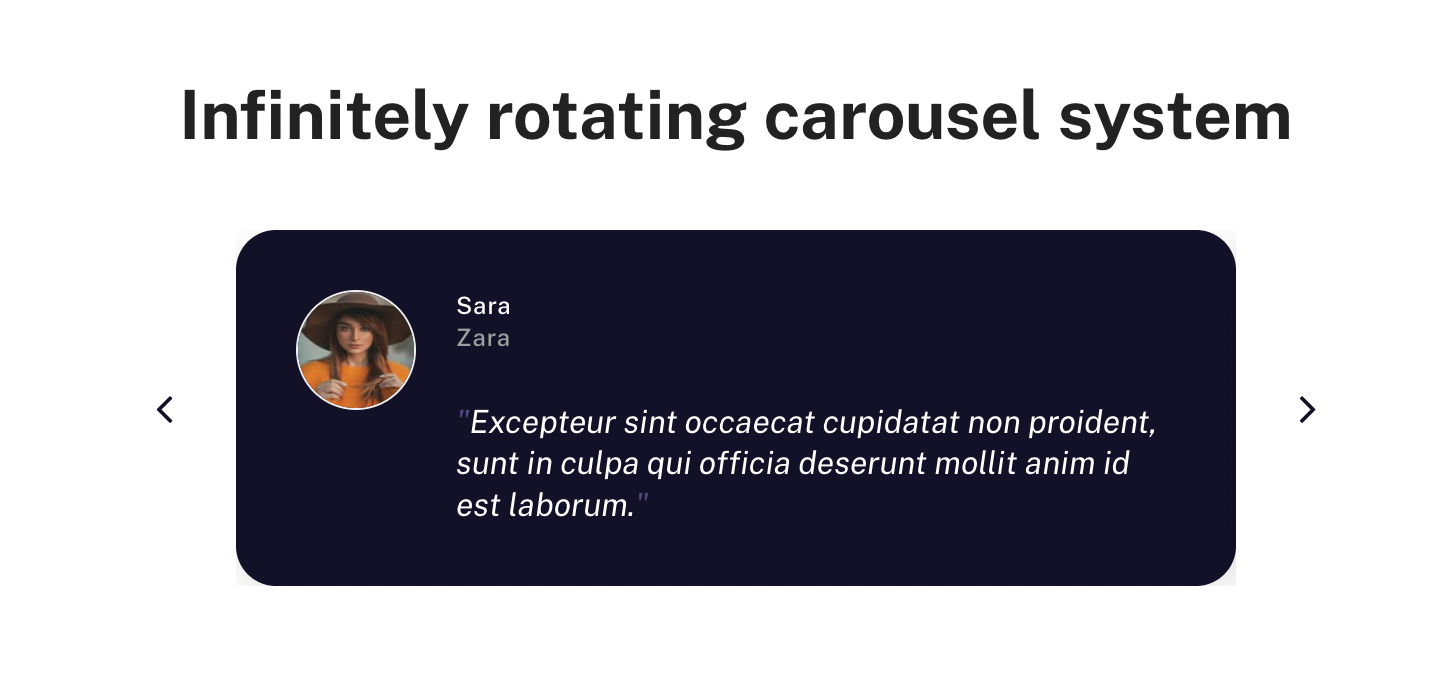
All that is left is for us to rotate the list infinitely. We can add icons on the left and right of the Repeating Group to rotate the list.
For the icon which will rotate the list clockwise, create a workflow on the element > Element actions > Listshifter > Rotate List
To rotate the list Clockwise, we need to rotate the list by -1
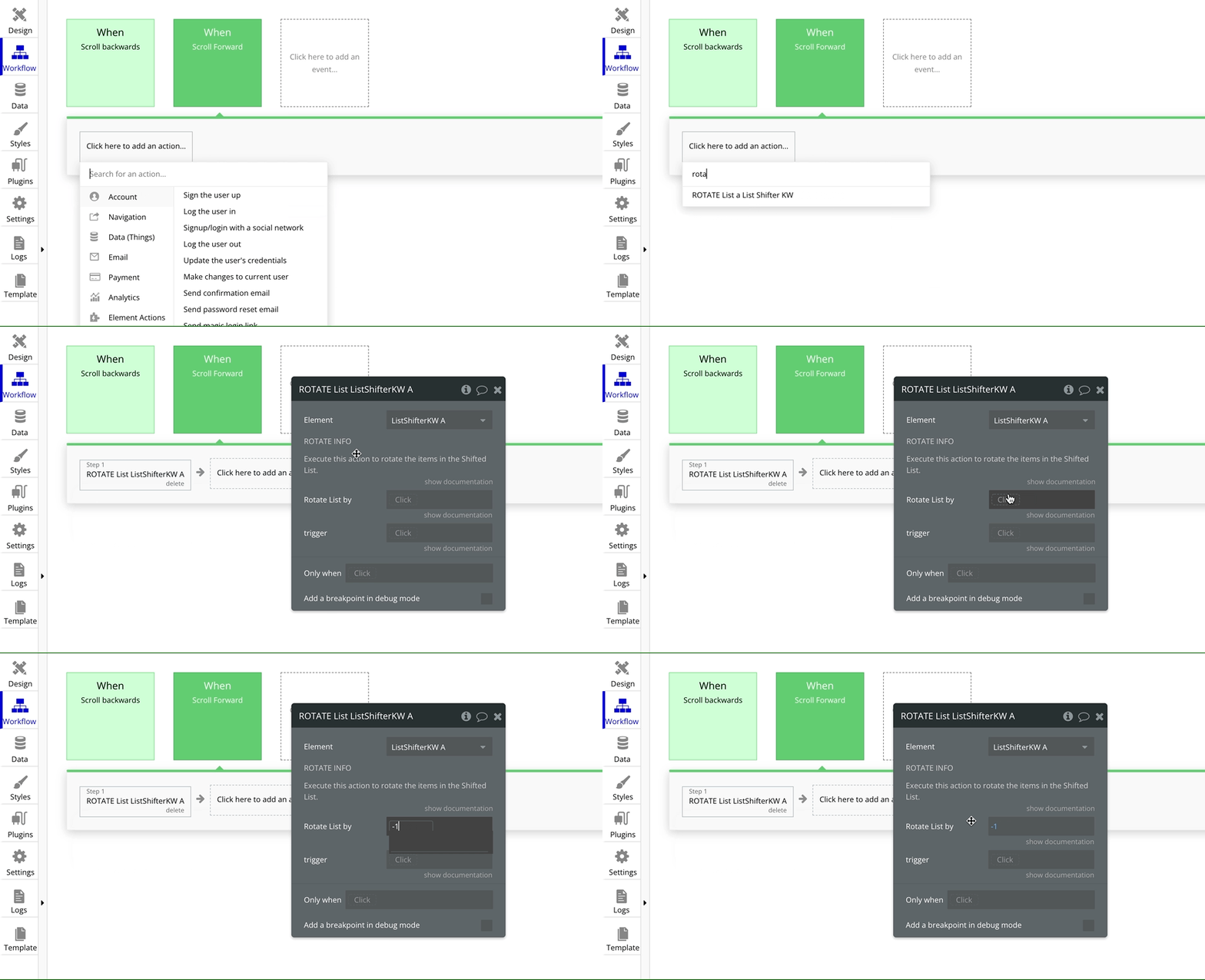
To rotate the list Anti Clockwise, we need to rotate the list by +1
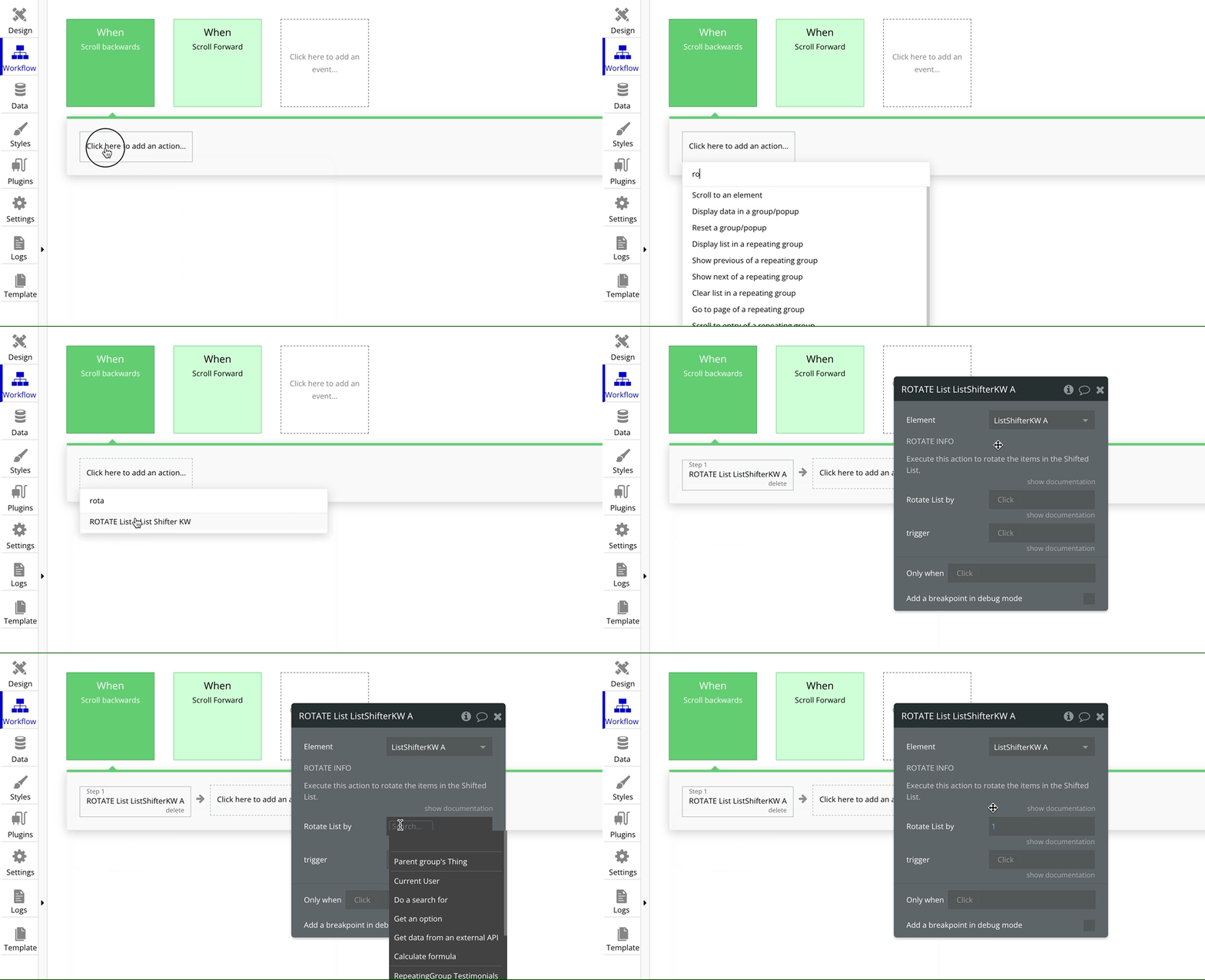
That’s it. Your carousel should now work perfectly.
Preview - Open live preview
Editor - Open Bubble editor
Bookmark
Honest Bubble.io Review - the most user-friendly and powerful app builder?
Bubble is an amazing platform to build your business. It’s easy to use and can be up and running in a very short time. However, there are some limitations to what Bubble can do. Get an honest review of the pros and cons of Bubble.io.
If you need some help with your Bubble app or a team of Bubble developers to build a Bubble app for you, reach out to me at himanshu@nocodeassistant.com. You can also follow me on Twitter.
Continue reading
Is it quicker to fetch data from lists or searches? It depends on a few factors, and no one approach will work in all scenarios.
In this Bubble.io tutorial, we'll learn to sort the results in a repeating group. You can sort items in ascending order or descending order.
You can send data from Repeating Group's cell to a Popup. This can be helpful if you want to show detailed info about the cell entry.

