

General Tips
Complete Guide to Master Groups in Bubble
What are Popups, Floating Groups, Group Focus, Repeating Groups and Groups? Where and how should you use them?
Himanshu Sharma · ·12 min read

Have you ever seen a dropdown selector on a web form and wished you could change the value of one dropdown based on the other dropdown’s value?How do you make it happen?
A typical example of this is having a user select a country and then show the relevant states based on their chosen country.
This Bubble tutorial will quickly show you how to create such cascading dropdowns.
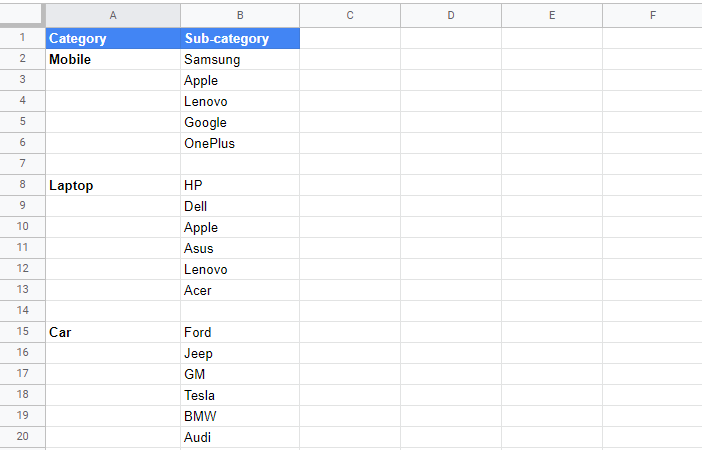
Let’s say that the Category and Sub-Category are related, as shown below.
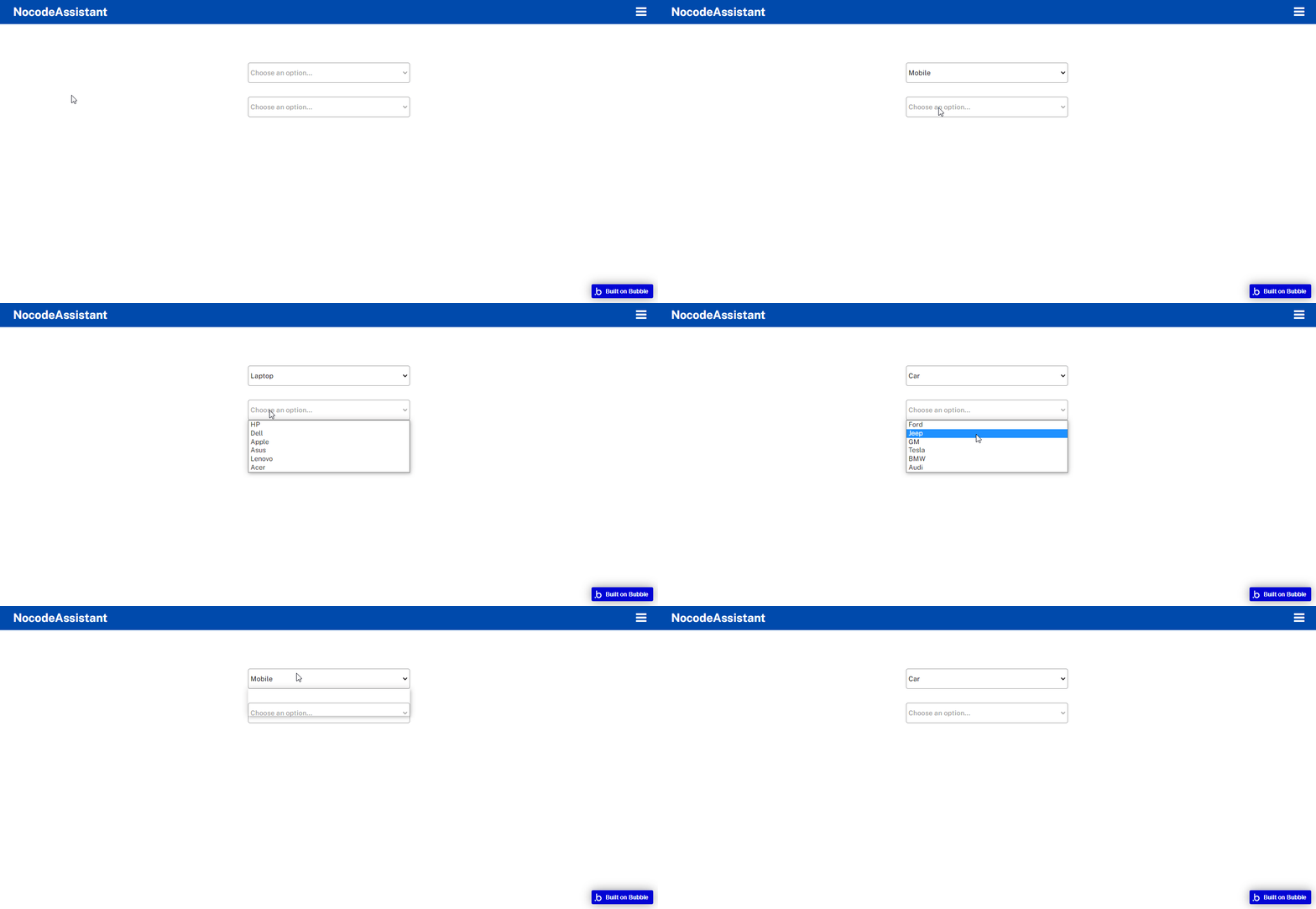
If you select Mobile in the first dropdown, you’ll see the options of only this category. We need to use conditional statements in the second dropdown to do this. No workflows are required.
Create two dropdowns as you usually would.
Fill the Choices of the first dropdown as you’d like.
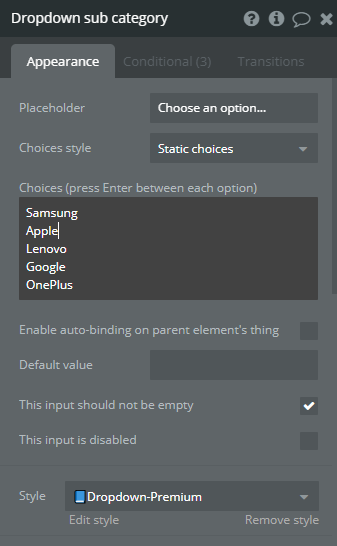
In the second dropdown, fill the Choices with sub-categories of any category. The choices that you mention here don’t matter. You can even type your name over here, and it won’t make any difference, but don’t leave it blank or else it won’t work.
Go to the Conditionals tab of the second dropdown.
Add a new condition that will show different Choices when the first dropdown’s value is Mobile.
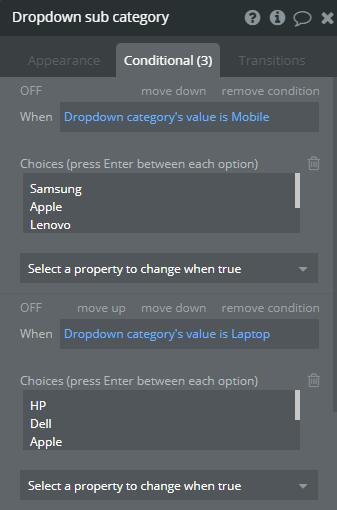
My first dropdown is called Dropdown category
And that’s it. The Choices of the second dropdown will vary depending upon the option selected in the first dropdown.
Bookmark
Using Option sets in Bubble.io
Option sets can help you speed up your Bubble.io app. Learn how to use them with dropdowns and radio buttons or create a custom menu.
Editor - Open Bubble editor
Preview - Open live preview
If you need some help with your Bubble app or if you need a team of Bubble developers to build a Bubble app for you, reach out to me at himanshu@nocodeassistant.com. You can also follow me on Twitter.
Continue reading
What are Popups, Floating Groups, Group Focus, Repeating Groups and Groups? Where and how should you use them?
Bubble is an amazing platform to build your business. It’s easy to use and can be up and running in a very short time. However, there are some limitations to what Bubble can do. Get an honest review of the pros and cons of Bubble.io.
When building Bubble apps, you might feel overwhelmed with the work needed. One way to save time and resources is with templates. However, using a template may not be the best choice for everyone.

